
How to Run a Cloaking Film Sample Review
WINGO ·
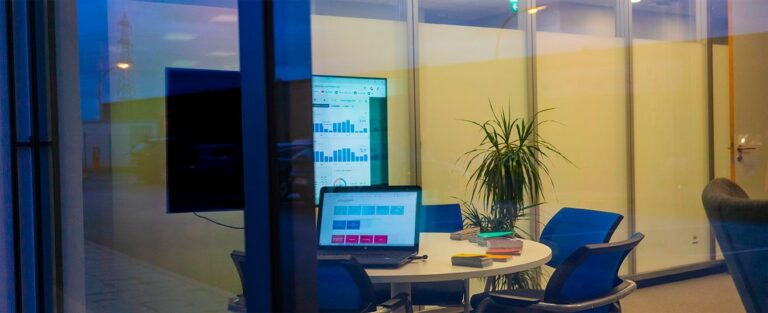
Give your project team a practical way to evaluate cloaking film with its own meeting room display before ordering for multiple glass partitions.
Choose the room and display
Start with a room where people routinely present information and where passersby can see the display through the glass. Record the display model, screen size, its mounting position and the glass panel between the display and the corridor. Share those details with WINGO to confirm compatibility and sample orientation before the review.
If the project includes several display models or room layouts, list those differences at the outset. Give each combination its own line on the review sheet. A result from one room should not stand in for a different display or a different viewing position.
Set up a representative sample
Place the sample on the partition between the display and the observer. Use the vertical orientation specified on the product page and confirm the correct installation direction with WINGO. Ask the installer to show where the sample will sit and mark its location on a simple sketch so the team can reproduce the setup.
Use dummy slides that resemble the work seen in the room. Include both text and charts, and keep the screen settings and displayed content the same during comparisons. Where possible, give reviewers an adjacent view through untreated glass so they can distinguish the effect of the sample from the effect of distance or reflections.
Walk the routes people actually use
Ask reviewers to look from the points where people normally pass or pause, such as the approach to the door and the corridor immediately outside the room. Include an oblique view and a position close to the glass. Cloaking film appearance can vary with viewing angle, so an observation from the middle of the corridor is only one part of the review.
Write down what remains visible at each point. Separate observations about readable text from observations about general shapes or changes in brightness. If the team changes the sample position or display settings, record the change and repeat the same walk so the notes remain comparable.
Agree on when to place the order
Before the review ends, have the project team identify which viewing positions matter most and which observations require a change. If an important position still gives a clear view of the screen, discuss adjusting the room layout or the sample position and schedule another review. Continue applying the workplace rules that govern what may be shown on shared screens.
Put the findings in a short table with a row for each viewing position. Include the room name, the display model and the sample direction at the top of the sheet. Review the notes together before removing the sample, while the team can still revisit an observation if it is unclear. Send WINGO the display details, a sketch of the partition and your observations from the sample walk. Ask the supplier and installer to confirm the proposed film orientation and agree which room or display combinations need another sample before the order is released.